Hotel operations software

Every room checked.
Every guest ready.

Inspecta™ connects housekeeping, front office, maintenance and your store in one app. Rooms are inspected with photos, approved by a manager, and only then handed to guests — and you see it all live.

Android app for staff · website for managers and owners

Room boardLive · 12 rooms
AllApprovedOccupiedChecked out
101Approved
102Occupied
103Allotted
104Occupied
105Checked out
106Approved
201Occupied
202Rejected
203Approved
204Vacant
205Occupied
206Allotted
🔔 Room 203 approved by manager · ready for check-in

In daily use

Resorts that run on Inspecta

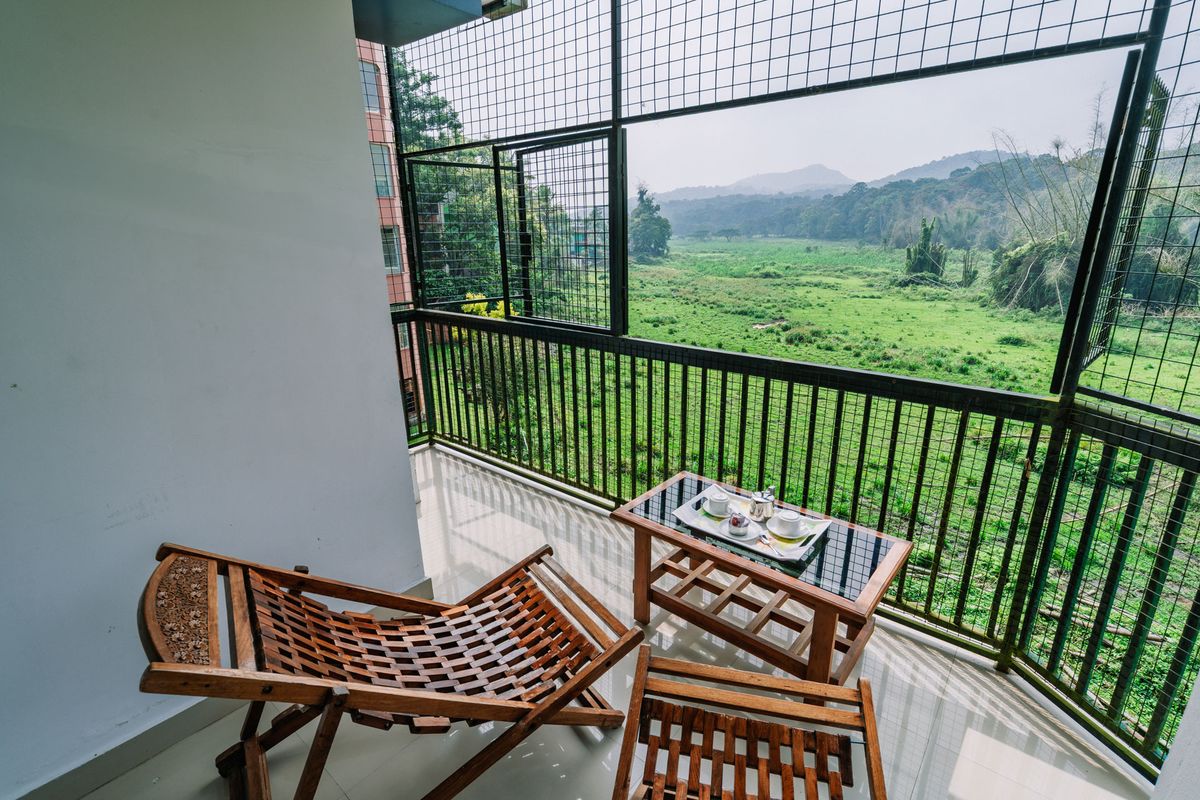
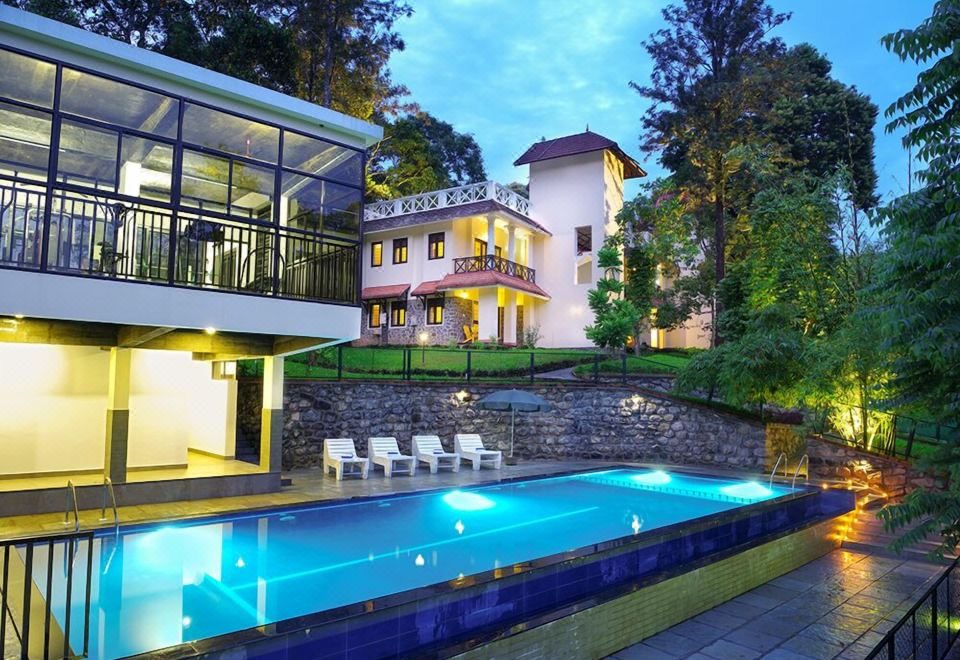
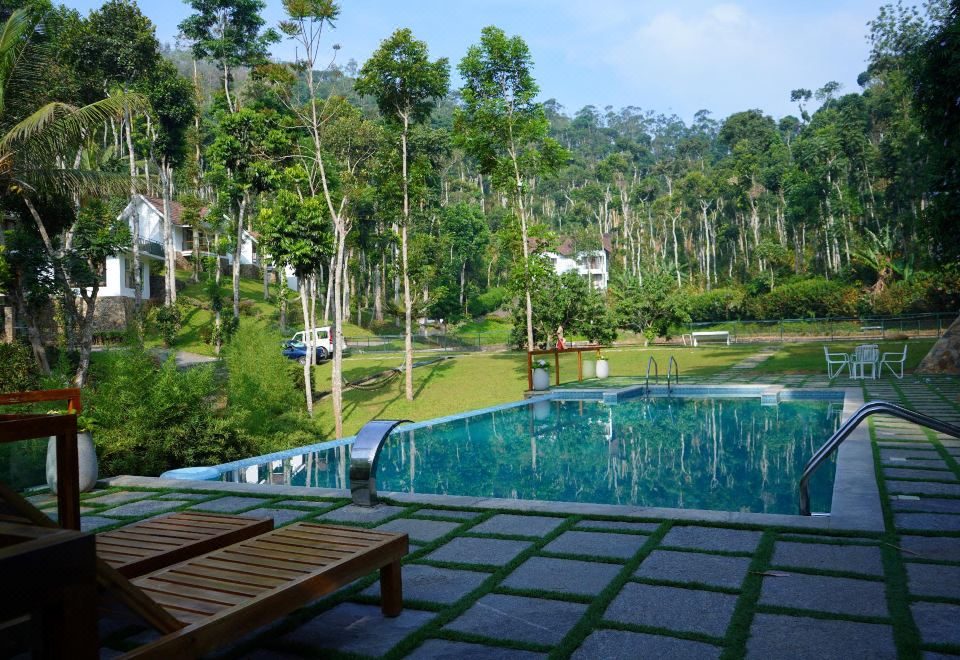
Every room at these Thekkady resorts is checked with photos and approved on Inspecta before a guest walks in.

Balcony overlooking green hills at Jungle Park Resorts, Thekkady
Jungle Park ResortsThekkady
Swimming pool at Hotel Treetop, Thekkady, lit up at dusk
Hotel TreetopThekkady
Pool overlooking the plantation cottages at Amaana Plantation Resort, Thekkady
Amaana Plantation ResortThekkady

The problem

Most hotels still run their rooms on paper and phone calls

🔍

No proof

A ticked paper sheet can’t show whether a room was really cleaned, or who checked it.

⏱️

Slow handoffs

Front office phones housekeeping to ask if a room is ready, while the guest waits in the lobby.

⚠️

Lost details

Repairs, guest extras and store stock live in chat groups and people’s memory.

What Inspecta does

One app for every team that touches a room

Every inspection comes with proof

Housekeeping fills your own checklist in the app and takes photos of the room. A manager approves it — or sends it back with a reason.

  • Your checklist, per room category
  • 1 to 6 photos per room, with staff name and time
  • One sign-off, or manager then director
  • Photos delete themselves after 1–7 days; the record stays
Room 204Deluxe · AC
Bed linen & towels✓ OK
Bathroom & toiletries✓ OK
AC, lights, TV✓ OK
Photo 1
Photo 2
Photo 3

✓ Approved by manager · 10:42

Guests only go into rooms that are ready

Front office sees every room’s status live. Check-in unlocks only after housekeeping approval — otherwise the manager is notified.

  • Allot single rooms or whole groups
  • Shift a guest only into an approved, empty room
  • Guest extras delivered, then collected back
  • Every allotment, shift and checkout logged
Room 103 · Mr. SharmaAllotted
Room 106 · Ms. RaoReady for check-in
Room 201 · Group: Iyer familyChecked in
Room 202 → 203 · AC issueShifted

From checkout to vacant in a few photos

After a guest leaves, staff confirm the extras were collected, take a few photos of the room — you choose how many, 1 to 6 — and it’s vacant. Reports show who verified every checkout.

1
Guest checks outThe room turns orange on the board.
2
Staff verifyExtras collected back; their name is recorded.
3
Room photosThe room as it was left, as evidence.
✓
Room vacantNo full checklist needed.

A repair is closed only when a manager sees it fixed

Anyone can report a problem with a photo. The engineer must upload an “after” photo, and a manager approves it — or sends it back as not fixed.

  • Urgent jobs can block the room
  • Notifications at every step
  • Log of who reported, fixed and approved, and how long it took
1
ReportedRoom 207 · AC not cooling · photo
2
Fixed by engineerGas refilled · after photo uploaded
✓
Approved & closedby the manager · room unblocked
📦

Store inventory

Stock in and out with names, and low-stock alerts to supervisors, managers and directors.

⭐

Guest QR & ratings

Guests scan a code to request items or report a problem, and rate their room.

🧳

Lost & found

Every item registered with room, finder and who collected it.

📊

Reports

Room chart, allotment history, inspections, maintenance and stock — in Excel or PDF.

Built around your team

Everyone sees exactly what their job needs

Each hotel switches features on or off, sets its own checklist, sign-off and photo rules. Owners with several properties compare them in one view.

HousekeepingRooms to clean, checklists, photos, checkout verification
Front officeAllotments, check-in, room shifts, guest extras
EngineerRepair jobs with before and after photos
StoreStock movements and low-stock alerts
ManagerApprovals, alerts and reports for the hotel
Director / GMFinal sign-off and every report, across hotels

Getting started

Running at your hotel in four steps

We set up your hotel, rooms and room categories.

You choose your checklist, sign-off and features.

Staff get accounts and install the Android app.

Managers follow everything live, on phone or web.

Request a demo

See Inspecta on your own rooms

Tell us a little about your property and we’ll set up a demo for you.

Abhi C Joji Founder & CEO

Inspecta was built inside a working resort, to solve the everyday problems of getting rooms ready on time.

✉️ abhicjoji@gmail.com

We’ll only use these details to contact you about Inspecta. Prefer email? Write to abhicjoji@gmail.com.